



How-To Software Center
Find a video tutorial here
What is the Software Center?
Our Software Deployment Tool 'System Center Configuration Manager (SCCM)' also provides a Software Center Self-Service portal which allows you to install, repair and uninstall Software apps which are approved within the LOYALTY PARTNER group.
If you can not find a app in the Software Center please refer to the Software Catalogue in order to check the availbility. If the desired app is listed in the Catalogue, but you can not find it in the Software Center please open a ticket via helpdesk@loyaltypartner.com
How-to start the Software Center?
To open the Software Center(<< click here) or press the ⊞ Win and enter 'Software Center' in the searchbar.


How-to install Apps via Software Center
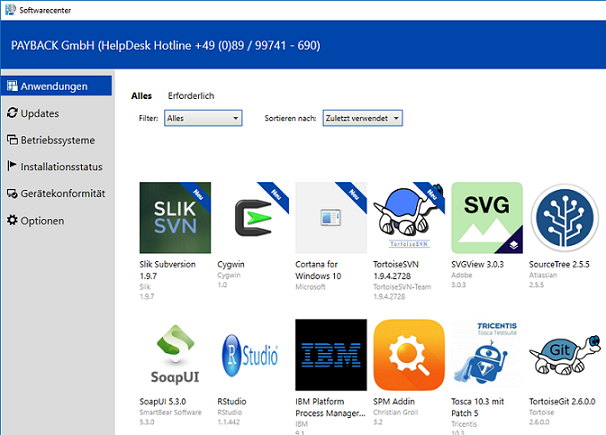
If you want to install an app please click to the tab 'Anwendungen/Applications'. All available Applications will be listed here. It might take some time until the list is loaded.
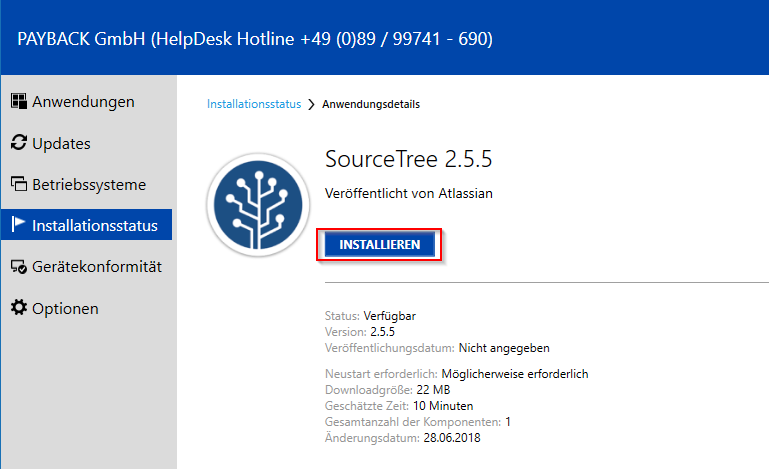
Select the Software you desire and click on 'install'. The app will be automatically downloaded and installed. The installation wizard will show some informations during installation like: estimated time of installation, version, if a reboot is neccessary to complete the installation, size of the app.
How to uninstall applications?
If you would like to remove software from your machine you can uninstall it at any time. Go to the tab „Installationsstatus“ and set the Filter to 'all' and Sort by to 'A-Z'. After the site has loaded you will get a list with all installed software.
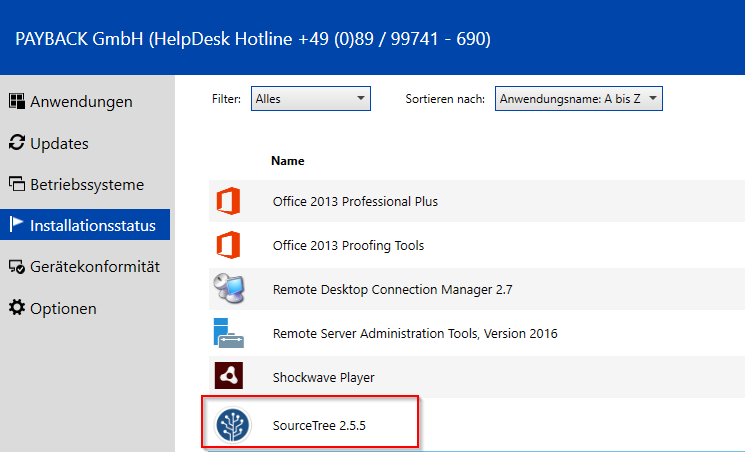
Select the app you want to remove and click on 'unistall'. The app will be uninstalled automatically.
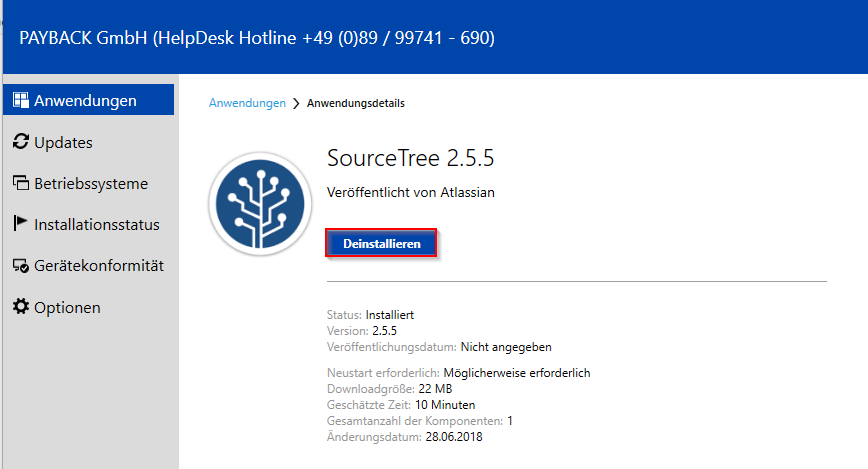
More Information on Software Center
In the Software Center you can not only install, repair and uninstall Software apps you can also manage software updates, updates of your operating system (windows only), list of the installed software, device compliance and options (GPO Sync, Power Managment etc.)